USB Type-C Camera vs Type-B: Choosing the Right Interface

Updated: 5 hours ago

A team specifies a 13MP module, builds the enclosure around a Micro-B cut-out, and then discovers the sensor cannot stream full resolution at the frame rate the application needs. The camera was fine. The link behind the connector was USB 2.0, and 480 Mbps does not carry 13MP at speed.
The connector on the outside told them nothing about that. Shape and speed are separate specifications, and reading one as the other is the most common way this decision goes wrong.
This post covers what a USB Type-C Camera actually changes, how the USB Type-C camera interface differs from Type-B in bandwidth, power, and mechanical terms, and which Vadzo modules sit on each side. If you are specifying a USB camera for embedded systems, the connector is the last decision, not the first.
What a USB Type-C Camera Changes That the Connector Alone Does Not
Answer first: the connector defines the physical plug and what the cable can carry. The speed grade defines how fast data moves. They are specified separately, and a Type-C plug does not guarantee USB 3 speeds.
That said, the association is strong in practice. Vendors put Type-C on their fast products and leave legacy connectors on the slow ones, so what is a USB Type-C camera usually means a module on a modern high-bandwidth link.
The important habit is to read both lines on the datasheet. Connector: Type-C or Micro-B. Speed: USB 2.0, USB 3.2 Gen 1, USB 3.2 Gen 2x2. A USB camera interface is only fully described when you have both, and a USB Type-C camera interface with a slow link behind it is still a slow camera.
Everything downstream of that pair follows: what resolution you can stream, how much power you can draw, how long your cable can be, and whether the plug survives your service schedule.
USB Type-C vs Type-B Camera: What the Connector Determines
The connector decides four practical things, and none of them is data rate.
Orientation. Type-C is a reversible USB connector, so it seats either way up. On a bench, that is convenient. In a machine where an operator plugs a camera into a panel connector they cannot see, a reversible USB connector removes a failure mode that a USB Type-B camera cannot.
Mechanical durability. Type-C is rated for far more mating cycles than Micro-B, which matters on any product where the camera is swapped, serviced, or shipped repeatedly.
Power handling. Type-C carries more current natively and supports USB Power Delivery negotiation. A Micro-B camera is limited to what the older bus spec allows.
Cable ecosystem. Type-C cables are now the default across hosts, docks, and single-board computers. A USB Type-B camera increasingly needs an adapter to reach a modern host, and adapters are a reliability liability in an industrial cabinet.
Why Micro-B Persists Anyway
Micro-B is not obsolete, and treating it as such leads to over-specification.
It is smaller in some layouts, cheaper, and perfectly adequate where the sensor does not saturate USB 2.0 in the first place. A 2MP module streaming 1080p has no bandwidth problem to solve, so paying for a faster link buys nothing.
The honest position on USB Type-C vs Type-B camera selection is that Type-C wins on durability, power, and host convenience, while Micro-B wins on cost when the data rate genuinely does not require more.
USB Speed Grades: What Gen 1 and Gen 2x2 Actually Carry
The naming is a mess, and the mess costs money. Three grades matter for cameras.
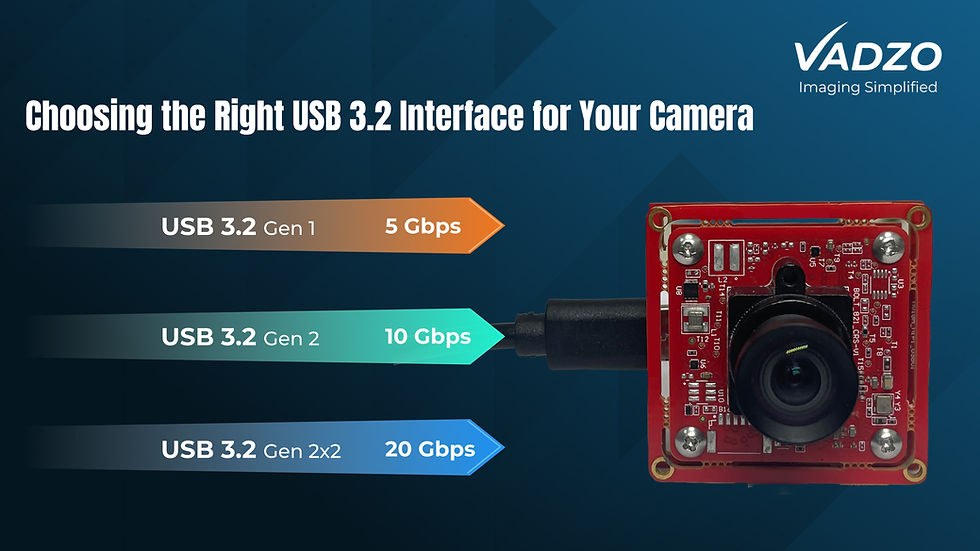
Grade | Raw link rate | Typical connector | What it suits |
USB 2.0 | 480 Mbps | Micro B | 1080p and low frame rate 5MP |
USB 3.2 Gen 1 | 5 Gbps | Type-C | 4K, 13MP, 20MP at working frame rates |
USB 3.2 Gen 2x2 | 20 Gbps | Type-C | High resolution at high frame rate together |
USB 3.2 Gen 1 is the same 5 Gbps link that was called USB 3.0, then USB 3.1 Gen 1, then renamed again. If a datasheet says USB 3.0 camera and another says USB 3.2 Gen 1 camera, they are describing the same speed.
A USB 3.2 Gen 2x2 camera uses both lanes of the Type-C connector to reach 20 Gbps, which is only possible on Type-C. That is the one case where the connector genuinely does determine the speed, because Micro-B has no second lane to use, and it is the only USB 3.2 Gen 2x2 camera tier available at all.
So a product labelled USB 3.0 camera, a product labelled USB 3.1 Gen 1, and a product labelled USB 3.2 Gen 1 are the same link. Only the marketing name changed.
A USB 2.0 camera at 480 Mbps sounds slow until you consider what it actually needs to carry. Compressed 1080p fits comfortably. Uncompressed 4K does not.
USB Camera Bandwidth: Matching Resolution to the Link
Work out what your stream costs before you choose a connector, because USB camera bandwidth is the constraint that decides everything else.
Multiply width by height by bytes per pixel by frame rate. Uncompressed 1920 × 1080 at 30fps in YUY2 is roughly 995 Mbps, which already exceeds USB 2.0 before you have added protocol overhead.
That single calculation explains most of the market. It is why a 4K USB camera and a 13MP USB camera are almost always Type-C, and why 1080p modules survive happily on Micro-B. An HDR USB camera at moderate resolution can land on either side, because dynamic range costs bit depth rather than pixel count.
Compression changes the arithmetic but not the principle. MJPEG cuts the stream substantially and lets a USB 2.0 camera carry 1080p, at the cost of an encoding stage and some image fidelity. If your application feeds a vision algorithm rather than a viewer, that trade is worth examining rather than assuming.
Frame rate is the multiplier people forget. Doubling frame rate doubles the bandwidth exactly, so a sensor that fits your link at 15fps may not fit at 60fps.
UVC Camera Support, Drivers and Host Compatibility
A UVC-compliant camera works with the operating system’s built-in class driver, so there is no vendor driver to install, port, or maintain.
This is the reason USB dominates prototyping. A plug-and-play USB camera is streaming within minutes on Linux, Windows, or Android, while a MIPI module needs kernel work before you see a first frame.
For an embedded USB camera in a shipping product, that same property reduces long-term risk. Your USB camera driver is maintained by the OS vendor rather than by you, so a kernel upgrade is unlikely to break your imaging path.
Connector type does not affect UVC support. A UVC camera on Micro-B and one on Type-C present identically to the host, which is precisely why the connector alone tells you nothing about capability.
Check one thing regardless: whether the host controller can sustain your bandwidth alongside everything else on the bus. Two high-resolution cameras sharing one controller will not both get full throughput, and that constraint sits on the host, not the camera.
Cable Length, Locking and Industrial Deployment
USB cable length limit is the specification that ends more USB designs than bandwidth does.
Passive USB 3 cables are practical to around three metres, and shorter as data rate rises. Beyond that, you need active cables or repeaters, both of which add cost and failure points.
If your camera must sit ten metres from the compute, USB is the wrong answer and no connector choice fixes it. That is the point where an industrial USB camera stops being the right architecture and GigE or a SerDes link takes over. Within range, an industrial USB camera module needs retention and strain relief that a desktop one does not.
Retention matters too in a machine. Standard Type-C plugs are friction-fit and can walk out under vibration. A locking USB Type-C cable or a panel-mount receptacle with a screw retention shell solves it, and specifying that early is cheaper than diagnosing intermittent dropouts later.
Strain relief at the module end deserves the same attention. The connector is soldered to a board, and cable weight over months of vibration is a mechanical load on those joints.
Power: Bus Powered, Power Delivery and Thermal Reality
Most camera modules are bus-powered, drawing everything they need through the same cable that carries the data. That is a genuine advantage and a real constraint at the same time.
A USB bus-powered camera on USB 2.0 has a modest current allowance. On USB 3, that allowance rises, and a USB Power Delivery camera can negotiate considerably more if both ends support it. Confirm the host supports it before you plan around a USB Power Delivery camera, because negotiation needs both sides, and a USB bus power camera that browns out shows it as sensor noise first.
Power matters for cameras more than people expect, because sensors and ISPs generate heat, and heat raises sensor noise. A module that is thermally limited will show it in the image before it shows it in a fault log.
Check the host side too. A single-board computer that advertises USB 3 ports may share a limited power budget across all of them, so two cameras and a storage device can quietly exceed it.
The Vadzo USB Type-C Camera Lineup
Vadzo’s USB portfolio splits cleanly along the connector. Every Falcon and Vajra module uses USB Type-C. Every Merlin module uses USB 2.0 Micro B. That split follows the bandwidth logic above rather than fashion.
Falcon series: USB 3.2 Gen 1 Type-C, 5 Gbps
Module | Sensor | Resolution | Notable |
IMX258 PDAF | Sony IMX258 | 13MP, 4208 × 3120 | Phase-detect autofocus |
AR0522 5MP | onsemi AR0522 | 5.1MP, 2592 × 1944 | Balanced resolution and bandwidth |
Falcon-521CRS | onsemi AR0521 | 5.1MP, 2592 × 1944 | Cost-optimised 5MP |
OX03C10 HDR | OmniVision OX03C10 | 2.5MP, 1920 × 1280 | High dynamic range imaging |
AR0246 HDR | onsemi AR0246 HyperLux | 2MP | HDR at low resolution |
AR0233 HDR | onsemi AR0233 | 2MP, 2048 × 1280 | HDR, wide aspect |
Each of these is a 5 Gbps USB 3.2 Gen 1 camera on Type-C, which is the grade that carries a 13MP USB camera or an HDR USB camera at a usable frame rate. The IMX258 module is the one to look at when you want 13MP with phase-detect autofocus rather than a contrast-based search.
Vajra series: USB 3.2 Gen 2x2 Type-C, 20 Gbps
The Vajra range uses both Type-C lanes to reach 20 Gbps. That is the tier to consider when you need high resolution and high frame rate at the same time rather than trading one against the other, and it is only achievable on Type-C.
Merlin series: USB 2.0 Micro B, 480 Mbps
Merlin modules run 1080p and 5MP sensors on the older connector. This is the correct choice when the sensor does not saturate USB 2.0, and choosing Type-C would add cost without adding capability.
Reading the split. If your sensor is 5MP or above, or you need a 4K USB camera, or you need a high frame rate, you are on Type-C by necessity. If you are streaming compressed 1080p from a fixed mount, Micro-B is not a compromise. A global shutter USB camera sits on either side depending on resolution and frame rate, so check the numbers rather than the category, and the same applies when picking a global shutter USB camera for a moving scene.
For a USB camera for embedded systems, the host matters as much as the module, since controller bandwidth and port power budget both sit outside the camera datasheet.
Vadzo also builds custom variants, so if the connector, cable exit, or retention scheme in your enclosure needs something different from the standard part, that is an OEM conversation rather than a catalogue one.
Frequently Asked Questions
What is a USB Type-C camera?
Asking what a USB Type-C camera is really two questions, because the connector and the speed are specified separately. Type-C describes the physical plug: reversible, mechanically durable, and capable of carrying more power than older connectors. The speed grade, whether USB 2.0, USB 3.2 Gen 1, or USB 3.2 Gen 2x2, describes how fast data moves through it. In practice, vendors pair Type-C with faster links, so a USB Type-C Camera usually means a modern high-bandwidth module, but a USB Type-C camera interface still needs both lines confirmed on the datasheet. This is the whole USB Type-C vs Type-B camera question in one sentence. Every Falcon and Vajra module in Vadzo’s USB range uses Type-C.
Is USB Type-C faster than Type-B?
Not by itself. A Type-C connector can carry USB 2.0 at 480 Mbps just as easily as USB 3.2 Gen 1 at 5 Gbps, so the plug shape guarantees nothing about throughput. There is one genuine exception: USB 3.2 Gen 2x2 at 20 Gbps uses both lanes of the Type-C connector, and Micro-B has no second lane, so that grade is only available on Type-C. For everything below it, read the speed grade rather than the connector. A USB 3.2 Gen 2x2 camera is therefore the only tier where the connector and the speed are genuinely linked, and Vadzo’s Vajra series uses it where resolution and frame rate are both demanding. Note also that a product sold as a USB 3.0 camera is the same 5 Gbps link as USB 3.2 Gen 1.
Which USB camera interface should I choose?
Answering which USB camera interface I should choose starts with arithmetic, not preference. Calculate your uncompressed stream: width times height times bytes per pixel times frame rate. Uncompressed 1080p at 30fps already sits near 1 Gbps, which rules out a USB 2.0 camera without compression. If your sensor is 5MP or above, or you need 4K or a high frame rate, you need a USB 3.2 Gen 1 camera or faster on Type-C. If you are streaming compressed 1080p from a fixed mount, a Micro B camera or USB Type-B camera is adequate and cheaper, which is why Vadzo’s Merlin series exists alongside Falcon. Run the USB camera bandwidth arithmetic before you pick a USB camera module, whether it is a 4K USB camera, a 13MP USB camera, an HDR USB camera, or a global shutter USB camera.
Does a USB camera need a driver?
A UVC-compliant camera does not need a vendor driver because it uses the class driver already present in Linux, Windows, and Android. That is what makes a plug-and-play USB camera the fastest route from unboxing to first frame, and it is why USB dominates prototyping over interfaces that require kernel work. It also lowers long-term risk for an embedded USB camera or any industrial USB camera in a long-life product, since the operating system vendor maintains the USB camera driver rather than your team. That matters for a USB camera in embedded systems, where the kernel will be updated over a decade. Connector type has no bearing on this; a UVC camera presents identically over Type-C or Micro-B.
How long can a USB camera cable be?
The practical USB cable length limit for passive USB 3 cables is around three metres, and it shortens as data rate rises. Active cables and repeaters extend that but add cost and another component that can fail. If your camera needs to sit ten metres from the compute platform, USB is the wrong architecture and GigE or a SerDes link is the better answer, regardless of connector. Within USB range, specify a locking USB Type-C cable or a panel-mount receptacle with retention if the installation vibrates, because a reversible USB connector is still friction-fit and walks out over time. Check the power side as well, since a USB bus-powered camera drawing near its limit over a long cable can brown out, and a USB Power Delivery camera needs a host that negotiates.